Showing posts with label video copilot. Show all posts

Monday, November 16, 2015

Goals: Learning Adobe After Effects


Adobe After effects is an amazing program. As its name implies, it lets you add visual effects to a project, ranging anywhere from stabilizing footage to a complete 3D render of a car or a building. The potential of this program is almost literally endless, and that is why it is an essential skills to possess in the field of media production. 

I've been wanting to learn Adobe After Effects since high school. I've been working with Premiere for a few years now, and I feel moderately proficient at it. After Effects is a different story. On multiple occasions I've tried to tackle this intense program, and each time I've turned away frustrated and discouraged. I was convinced that organized instruction in a classroom was the way to go. My high school didn't have any advanced production classes to expose me to this software, so I was basically on my own.  I have been trying to take Motion Graphics and Animation with Arturo for the past 4 semesters, but I've never been able to get a seat in the class (Thanks, Ithaca). On to of that, Arturo won't be teaching when I return from LA next fall, which has me extremely worried. I've heard great things about the class as it is, but I'm nervous that I might have missed my chance for quality AE instruction. 


Like I said, I've tried several times to teach myself. Most of the tutorials I've found online are either 3 hours of a monotone voice spouting out instructions, or some pre-pubescent 12 year-old filming his computer screen. Both are equally frustrating and discouraging. 


However, today in class Arturo showed me a tutorial website, video copilot.net, that may be the answer to my After Effects woes. This comprehensive website has over 150 video tutorials on everything After Effects; from the basic layout to tools to effects, this website looks like it is everything I've been looking for in one place. Oh, and did I mention it is free? The videos are funny and entertaining, its not just commands and data be dumped into your ears. On the other hand, the videos are actually helpful, its not just someone trying to boost their Youtube subscribers.  I haven't had a chance to really dig into it yet (you know, because school), but I imagine "After Effects 101" is the perfect place for me to start. The website also provides you with project files for EACH VIDEO so that you can follow along and literally practice on the same files showcased in the video. There is also a tab to download various plugins and 3D packages, some for free and some at cost. 


After Effects has sort of intimidated me up to this point, but it really is the next weapon I want to add to my arsenal as I get closer to joining the *shudders* adult, professional world. It is an incredibly powerful program that allows for an immense amount of creativity. It is going to take time to learn just the basics, and I don't see myself doing an full 3D renders of cars anytime soon, but my plan is to slowly work my way through videocopilot.net and try to gain an understanding of the program and its nuances. You gotta start somewhere. 


Friday, October 24, 2014

Car Crashes and the Art of Green Screen

So we've got this car crash scene.

At first I was thinking of filming myself run through a red light in downtown Ithaca and see what happens, but as it turns out there are far safer and cost efficient ways to do this.

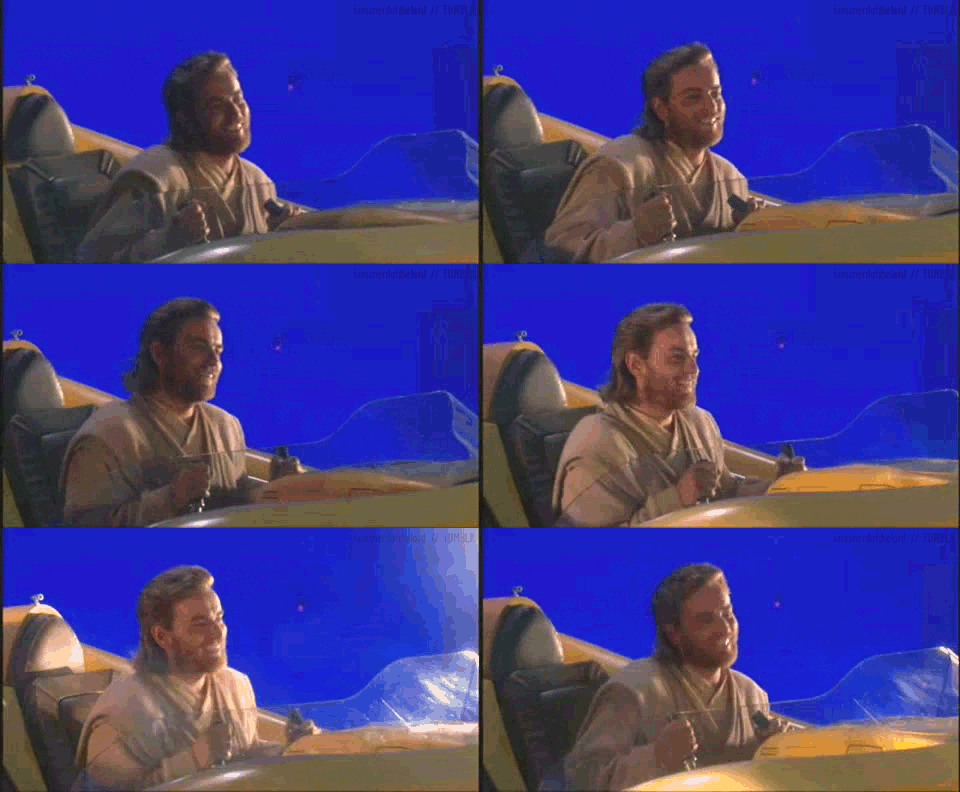
These days, you don't need to be a filmmaker to understand how a green screen works. You tell the computer to replace a certain color (in this case bright green) with another other image. The result is something like this:


Seems pretty basic. But it's time I admit the truth... I'm terrified of green screen shots. 

Why?

Call it a form of PTSD. Once upon a time I did some sub-par acting in a film that involved a car crash and the result was... less then optimal. 


To give the crew some credit, what they were trying to do was pretty complicated. Green screen shots for a moving vehicle involve light passing by from the streets, moving scenery in the background, and reflections off windows. That's a lot to think about and it's involves all three stages of production. Thankfully though, the internet has plenty of resources that list out the steps required to accomplish something like this. 

For work in postproduction, the best tutorial is by Video Copilot:


With these resources, I feel much more optimistic and prepared for this undertaking. It can be complicated, but if all steps are followed to a tee then the process should be painless. Now I just need to convince Mr. "Editing for Dummies". 


Sunday, October 9, 2011

Iron Man Beams Replication for Project 2

I'm working on a test for a scene in my project. I'm trying to recreate the Iron Man light beams but need some help or guidance as to what people would like to see or what it should look like.


So far I think the test is almost there. I am working on installing a little energy orb around the surface to make it look realistic in some sense. Overall I am having a great time with this project after shooting and look forward to working on more special effects.

Thursday, September 29, 2011

Super 8 & Optical Flares


This past summer was one of the biggest blockbuster movies that I can remember. It was one of my favorite from the summer and made me feel like a kid again.

It's the story of a group of young boys who witness a train accident and all these strange events begin to occur. Granted a lot this seemed far beyond realistic since it was about aliens but I truly appreciated the story because it truly captured a kid. All kids want to do is play and explore. In the movie, all they wanted to do was explore and create their own movie based around what was happening


Another thing to point out were all the lens flares. For a few years, lens flares have become a very stylistic attribute to the image. These were seen in the 2009 Star Trek, which was also directed by Super 8's J.J. Abrams. Since learning After Effects, videocopilot.net has a package called Pro Presets, which contains Optical Flares. The person created Optical Flares, Andrew Kramer, worked on both of Abrams' movies to create these futuristic flares seen on screen.


I very much felt like I was watching ET since it was produced by Spielberg. These kids had some sort of a connection with this alien creature since they are sheltered as children like alien in previous time. All in all it was one of my favorite movies from the summer.