
Showing posts with label green screen. Show all posts
Showing posts with label green screen. Show all posts
Thursday, October 29, 2015
Chroma-ing: It's easier than you might think
One facet of movies or shows that can be super important is the use of green screens, or other screens to fulfill the same variety. These can be used to add in background animations or scenery shots to add some variety into whatever is being edited. First, to add the chroma key, select the clip that you want to add the chroma into. In the effects panel in the bottom right, click on the folder that says "video effects", and then in that folder click on "keying". There are a few different options, but the most simple option would be to select "Ultra Key". Drag this onto the clip in your sequence, and you will now be able to edit the chroma in the clip panel in the upper left corner. Make sure that the background chroma is on the lower level than the clip you want to add it to, so have the clip with the green screen on track 2 and the thing you want to chroma in on track 1. Then, take the eye dropper tool and click on the green, or whatever color you want to chroma out, and at this point, you should see the background change. It still may not look perfect yet, though, as shadows and different lighting conditions might not create a clean chroma. Took fix this, in the same panel as the eye dropper, there should be a few options, like "matte cleanup" with different sliders altering shadows and choke. Once fiddling around with these, your overall shot should be done and looking nice. A good chroma can end up improving shots and adding much needed variety.


Tuesday, September 15, 2015
The Green Screen: Just fix it in post (but really)
Not to sound like an old person, but technology absolutely
amazes me these days. I was just recently shown the new Snapchat update, which
includes new features like being able to put crazy animated features on
your picture that track and move with your face on the screen. If you
really take the time to think about it, that's pretty freakin' cool. How long
would someone have worked to create that effect on a moving picture
only fifteen years ago?
Almost every major production involves green screen, or
chroma key, in some capacity. Whether it is creating a fantasy land, or making
a slight change to the background, green screen technology gives filmmakers the
power to manipulate the onscreen world in more ways than one. So, how did we
get here?
The first use of a green screen, or at least the idea behind
it, came from Georges Méliès. Ol' Georges didn't use a green screen,
or any screen at all for that matter. He used a 'matte shot' by actually
painting (matting) parts of the frame black, which would stop it from getting
exposed. He would then rewind the frame and matte our every ELSE in the
frame, and only expose what was originally matted, resulting in two 'different'
shots in one frame via double exposure. And thus "green screen" technology was born:
As on screen trickery evolved, another more direct
technique was developed. Filmmakers would actually have a piece of glass
painted, and then place it between the subject and the camera. Kind of the
ultimate perspective manipulation. This technique was perfected by early
filmmaker Norman Dawn.
To solve the problem of motion in film, both primary and
secondary, the "black screen" was born, the ancestor of todays green
screen. This allowed a entire background to be matted, and also
eliminated any matte "line" that actors would have to avoid crossing
or else ruin the effect. It was most famously used in The Invisible Man.
As technology advanced, several different colors emerged in
efforts to perfect the matte process, but in the digital age green has emerged
as the industry standard.
It seems like each year some new, visual stunning film
comes out that totally blows us away. From Jurassic Park to Avatar,
Gravity to Interstellar, Alice in Wonderland to The
Hobbit, green screen digital effects seem to be taking over cinema.
They allow a surreal escape into fantastic worlds, or, as technology
continues to advance, it just might be easier to "green screen it"
and literally fix it in post.
Some interesting examples:


Friday, October 24, 2014
Car Crashes and the Art of Green Screen
So we've got this car crash scene.
At first I was thinking of filming myself run through a red light in downtown Ithaca and see what happens, but as it turns out there are far safer and cost efficient ways to do this.
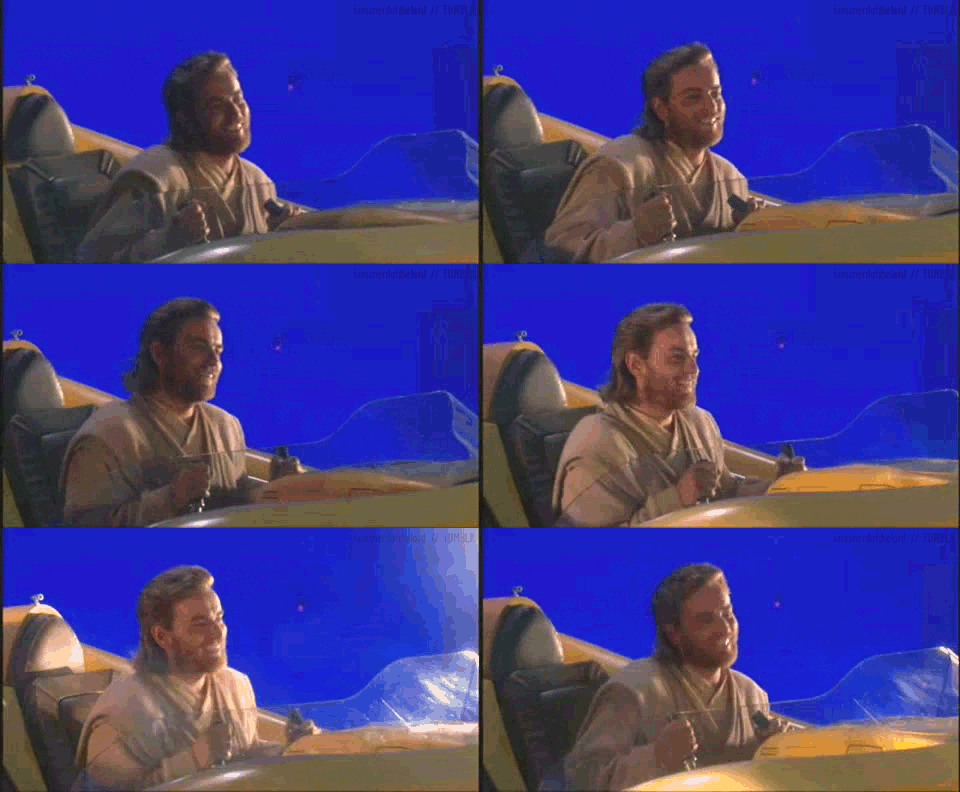
These days, you don't need to be a filmmaker to understand how a green screen works. You tell the computer to replace a certain color (in this case bright green) with another other image. The result is something like this:


At first I was thinking of filming myself run through a red light in downtown Ithaca and see what happens, but as it turns out there are far safer and cost efficient ways to do this.
These days, you don't need to be a filmmaker to understand how a green screen works. You tell the computer to replace a certain color (in this case bright green) with another other image. The result is something like this:
Seems pretty basic. But it's time I admit the truth... I'm terrified of green screen shots.
Why?
Call it a form of PTSD. Once upon a time I did some sub-par acting in a film that involved a car crash and the result was... less then optimal.

To give the crew some credit, what they were trying to do was pretty complicated. Green screen shots for a moving vehicle involve light passing by from the streets, moving scenery in the background, and reflections off windows. That's a lot to think about and it's involves all three stages of production. Thankfully though, the internet has plenty of resources that list out the steps required to accomplish something like this.
For work in postproduction, the best tutorial is by Video Copilot:
With these resources, I feel much more optimistic and prepared for this undertaking. It can be complicated, but if all steps are followed to a tee then the process should be painless. Now I just need to convince Mr. "Editing for Dummies".
Friday, September 19, 2014
Practical Effects: The Real Magic Tricks of Filmmaking
Special effects in filmmaking could be summed up into two different styles: visual effects, and practical effects. Visual effects usually involve editing the footage in post-production, while practical effects are done live in front of the camera. Visual effects can have a really cool effect when used effectively, like in this summer's blockbuster film, "Maleficent". Of course everything you see is fake and created on a computer, but the movement of the camera makes the scene very compelling.

So. Visual effects can be pretty cool. But I'm here to talk about why practical effects are way cooler.

Why are they way cooler?
Well, many reasons. For one the shot is going to have a timeless effect and will look real 100 years from now because, well, it is real. Visual effects however are very time sensitive. These magical, awe-inspiring scenes we see now will look laughable in a few years. But that's how technology works.
Check out these two scenes below...
The first one is from Terminator 3, where they flipped a massive construction vehicle using computer-generated visual effects. The second one is from the Dark Knight, where they do almost the same stunt except they actually flip the truck.
Now to be fair some might jump up and say the Terminator version is better because the truck is seen crunched in to the ground, tires flying through the air, and of course a nice big explosion to finish.
But sorry, you're wrong.
Consider this analogy....
The Dark Knight's effect is like a gourmet selection from that restaurant down the street...

...and The Terminator's visual effect is like a #2 from Panda Express with extra meat.


Check out these two scenes below...
The first one is from Terminator 3, where they flipped a massive construction vehicle using computer-generated visual effects. The second one is from the Dark Knight, where they do almost the same stunt except they actually flip the truck.
But sorry, you're wrong.
Consider this analogy....
The Dark Knight's effect is like a gourmet selection from that restaurant down the street...
But consider this analogy for a second. Even though Panda Express is of less quality, overall it's a better deal. You're getting a lot more food for a lot less money. There's plenty like about it... but little to appreciate. You will not eat Panda Express in small bites and appreciate the amount of work it took to create such a masterpiece. It's just something that will make you happy in that moment. And minus the painful poo afterwords, that's exactly what the Terminator 3 effect is. It's just a cheap audience pleaser.
I hope a few of these behind-the-scenes videos below will help convince you:
First off, The Dark Knight flip:
Come on... that's just FRIGGIN COOL.
For any of you that have seen Inception, you may remember the scene when Joseph Gordon-Levitt is in a fist fight whilst flying all across a room because of changing gravity. How do you create the effect of a room rapidly changing gravity? How about RAPIDLY CHANGING THE GRAVITY?
This next video is from "Edge of Tomorrow", a film I expected to be a horrible flop. Tom Cruise stuck reliving to same war scene day after day? Sounded to me like an excuse for big explosions and no story at all. But the reviews came out and they were actually really positive. I couldn't believe it. I had to see what all the huff was about, and I was indeed pleasantly surprised by the engaging story. The story does of course include several explosions and battle scenes, but I remember thinking that they were acted out very well. That is, the actors seemed to be reacting to their environment quite realistically. After watching this video, I realized why. This video features several small clips, but the most impressive clip is at 2:58. It's truly incredible and I don't think many actors could pull it off besides Tom Cruise.
Of course there are many other notable films that are famous for their use of practical effects, but I hope this gives you an introduction to the fine art and precise skill of these types of effects. They are dangerous, expensive, and difficult, but that's why they deserve so much appreciation.
Crave that gourmet shit.
Friday, October 11, 2013
Dog Boarding: it's what it sounds Like...
Daniels, composed of the same two cinematographers who shot the fantastic Passion Pit music video for the song "Cry Like A Ghost" which we previously viewed in class, are also masters of short comedic videos. One video in particular that I found to be really well shot and edited is the short, Dog Boarding. This video is set to the song "Helena Beat" by Foster The People.
Daniel Kwan and Daniel Scheinert (Daniels) use skateboards with stuffed dogs on top of them and ride them through a skatepark and over various obstacles. They also use a green screen to make the heads of the dog boards seem alive, which I found extremely creative. There are also real (and ridiculously adorable) puppies, shots of which are added and cut in a way that it looks like they are getting stomped down on and slid across half pipes.
In order to make the heads of the dog boards look real, which added to the overall reality of the boards themselves, they filmed the dogs' heads in front of a green screen, then added them to the shots in post production. It's such a simple idea, but it was executed with great precision by Daniels. The cinematography is just as great as the editing. Most if not all of the shots are lit perfectly by natural lighting, and the video cuts to the song in a way that perfectly incorporates the drops of the skateboards to the beat.
Thank god they make it clear that no dogs were harmed in the making of the video, because they look so real!
Daniel Kwan and Daniel Scheinert (Daniels) use skateboards with stuffed dogs on top of them and ride them through a skatepark and over various obstacles. They also use a green screen to make the heads of the dog boards seem alive, which I found extremely creative. There are also real (and ridiculously adorable) puppies, shots of which are added and cut in a way that it looks like they are getting stomped down on and slid across half pipes.
In order to make the heads of the dog boards look real, which added to the overall reality of the boards themselves, they filmed the dogs' heads in front of a green screen, then added them to the shots in post production. It's such a simple idea, but it was executed with great precision by Daniels. The cinematography is just as great as the editing. Most if not all of the shots are lit perfectly by natural lighting, and the video cuts to the song in a way that perfectly incorporates the drops of the skateboards to the beat.
Thank god they make it clear that no dogs were harmed in the making of the video, because they look so real!
Subscribe to:
Posts (Atom)