Showing posts with label final cut. Show all posts

Monday, October 20, 2014

Editing for Dummies!

I promised myself I would never do this. I told myself that I would never ever touch on this subject. Well, unfortunately, it is time. I must delve into a topic that I'd much rather leave alone. A topic that is hitting a little too close to home for my taste. A topic that would possibly tell me that I've been doing it wrong the whole time. That I haven't been doing my job. That I haven't been living to my full potential. It is indeed time...for Editing for Dummies!


I don't like to refer to myself as a "dummy," but I often am. I don't prefer to undermine myself, but I often do. I would rather not make myself, along with everyone I know, realize that I could do so much more than I already do...SO WHY START NOW?! I don't mean to toot my own horn or anything (although this is very exciting news), but it turns out that I've actually been doing [almost] everything I could possibly be doing to help the productions I've worked on in the past.

First, let's get our jobs straightened out. In the world of editors, there are two main positions: the editor, and the assistant editor(s). I say "editor(s)" because, while there can sometimes be only one assistant editor, there's more often than not multiple assistant editors. It's true (probably). Look it up (please don't). In a nutshell, the assistant editors report directly to the editor. They do what the editor tells them to do and the editor does what the director and executive producer tells him to do.
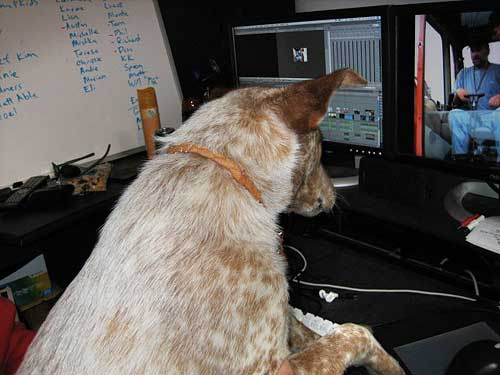
They're worked like dogs...get it? It's funny!
Let's begin with the responsibilities of the assistant editor, considering that will lead into the responsibilities of the editor. See how organized I am? The assistant editor's foremost job is to log and capture media; basically put all the files onto a hard drive and label them. After the files are logged and captured, the assistant editor organizes them in coordination with the script supervisor's log on an offline edit timeline in a rough cut format. They take the specific clips the script supervisor recommends they use and put together a very rough cut of the film without doing any detailed edits. The assistant editor also keeps a system of backups of all the files and assists the editor in compressing and the timeline and exporting it in multiple formats.

In short, the assistant editor's job is to make the editor's job as painless as possible. They gather and organize everything and even put together a rough cut of the film, pretty much just leaving the more minute, detailed edits up to the editor. Having logged at least a couple thousand files myself, it's not fun. It's definitely not fun. Hats off to you, Mr. and Ms. Assistant Editors!

Now let's move onto the editor. The chief. The head honcho. The top dog. The big cheese. Like I said, the editor is responsible for delegating responsibilities to the assistant editors. Once he/her receives the rough cuts from the assistant editors, the editor takes what they're given and cut, slice, and dice the footage into successive cuts until the final cut is reached.
An editor looking very deep in thought.

The editor doesn't only make the meticulous edits and turn the film into the masterpiece it will hopefully become, but they're also the ones who receive all the criticism. They sit down with the director and executive producer on a regular basis to receive criticism about how they can improve their work. It's pretty mentally and physically exhausting! Not only is their work ripped apart by some very important people, but they also work unimaginable hours to change their work so that these very important people like it.

Once the "final cut" is reached (I say "final cut" because, well, the final cut isn't typically reached until the day before the project's hand-in date) the editor often assists the Directory of Photography with color correction and other postproduction effects. There's more often than not other people who are specialized in these areas who are hired for color correction and special effects, but the editor gets some level of input in what is done or how it's done.

The editor's final job is to output the final cut of the film to several formats. The format can depend on who it's being sent to. This can include film festivals, theaters, online, etc. Assistant Editors and Editors have it rough. Their jobs are to basically polish and refine with the very little time and resources that's [most likely] available.

Friday, November 22, 2013

Editing and Stuff

"The effect you can get from juxtaposing different shots together in a film is unlike anything else in writing, or photography." -Vsevolod Pudovkin


Anyone who's ever edited anything thinks he/she is a great editor. It's the nature of the art. Learning how to cut clips and apply filters are easy to learn, and can create impressive looking material. However, just as there is a difference between Instagrammers and professional photographers, there exists a wide gap between a consumer cutting some clips on iMovie and a working editor. But what makes an editor great? Although I've come across a wide array of contrasting opinions on the topic, I've found a couple of attributes that most of the Internet could agree on:

1. Cut tight – The best editing approach is to cut tight scenes without becoming too “cutty”. This means taking out unnecessary pauses between actors’ delivery of dialogue lines. Sometimes it mean tightening the gaps within dialogue sentences through the use of carefully placed cutaways. It may also mean losing redundant lines of dialogue, after the director has reviewed your cut.

2. Temp music – Many editors like working with temporary music as a placeholder. I advise against this for two reasons. First – people tend to fall in love with the temp score and then it’s hard to get real music that feels as good. Second – temp music becomes a crutch. You tend to be more forgiving of a weak scene when there’s interesting music than when the scene is naked. I prefer to cut a strong scene and make it work through editorial solutions. If a scene can stand on its own, then the addition of sound effects and a score will make it that much better. The exception is a visual montage set to music. Here, I tend to do better when I’m cutting to music rather than the other way around.

3. No Dragnet edits – The original Dragnet television series used a certain approach to cutting dialogue scenes. Audio and video edits tended to be made as straight cuts between the actors without any overlaps as they delivered their lines. It followed this formula: cut to actor A – deliver the line; cut to actor B – deliver the line; cut back to actor A and so on. Walter Murch refers to this as the Dragnet-style of editing. Our brains seem to react better to edits where the change in picture and sound is not always together. These are called split edits, L-cuts or J-cuts.

4. Matching action – Matching actors’ hand positions, use of props, eyeline and stage position from one cut to another fall into the technical category of how to make a proper edit. Walter Murch offers a rule of six criteria that form reasons to make a cut at a given instance. The greatest weight is given to whether that cut drives the emotion of the scene or moves the story along. Technical matching is the least important concern. I’m not saying you should throw it out the window, because a mismatch that is too extreme can be very jarring to the audience. On the other hand, as an editor friend often tells me, “Matching is for sissies.” The audience will often ignore many minor continuity differences from one shot to the next if they stay totally engrossed in the story. Your job as the editor is to cut in such as way that they do.

5. Moving camera shots – Moving the camera around is a staple of action sequences. This might be a camera on a dolly, crane, Steadicam or just handheld. In an action scene, this is designed to create a level of tension. When I cut these shots together, I prefer to cut on movement, so that the camera is in constant motion from one shot to the next. Many directors and DP will disagree, preferring instead to start and stop each camera move before making the cut. Both approaches work under the right situations, but my tendency is to cut tighter and not let the audience’s eye rest on the set or a shot or a scene for too long, unless there is a reason to do so.

6. Don’t cut back to the exact same angle – If you have a choice of several camera angles, don’t automatically cut back to the same camera angle or take that you just used in the previous shot. This is, of course, unavoidable in a dialogue scene with only two angles and one take of each; but, if the director shot different takes with different framing, try to use a little of all of them. Don’t get stuck in a cutting rut, like master/single/reverse, master/single/reverse, etc. Mix it up.

7. B-roll shots in threes – When the scene calls for cutaway inserts, it feels right to use three on a row. Not a single shot, not two, but three. These should be at least 1.5-2 seconds long (or longer). An example might be when a character enters the room and looks around. The POV inserts work nicely in triplets and give the audience a good idea of the landscape that the character encounters. It mimics our real-world experience of moving our head around and seeing different aspects of the same surroundings.

8. Cut for the eyes – Actors that do well on TV and in films (as compared with the stage) are all very expressive with their face, but most importantly, their eyes. When I’m cutting an intense dialogue scene, I’m looking at how the actors’ eyes play in the scene. Do they convey the proper emotion? What is the reaction of the other actors in the scene? What the actors are or aren’t doing facially determines my cutting. It drives my decision to stick with the principal actor delivering the dialogue or whether I briefly cut away to see reactions from the others.

9. Pull the air out of actors’ performances – Going back to Item 1 – I like to cut tight. Recognize that many actors will overact. They will milk a scene for more than is appropriate. They will accentuate pauses, add more stumbles and stammers (where scripted) and give lengthy glances. Sometimes this works, but your job as the editor is to dial these back as you cut. Take these pauses out by cutting away and then back. Cut out redundant actions and line deliveries. Make it real, so it doesn’t feel like ACTING.

10. Shaping story – It is said that there are three films: the one that’s scripted, the one that’s been filmed and the one that’s edited. When you cut a feature, pay close attention to the story chronology and don’t be afraid to veer from what was written or filmed if it makes sense to do so. Many editors use note cards on a storyboard wall to create a quick visual representation of the storyline. This helps you make sure that you reveal things to the audience in the most logical order and that nothing is inadvertently edited out of place.

11. Digital aids – Modern NLEs and finishing techniques like digital intermediates offer a lot of tools that aid the filmmaker. For example, digital images are very tolerant of blow-ups. You can add camera zooms or blow-up a shot (creating a wide and a close-up from a single shot) with these tools. This is especially true if you shot on 35mm film or with the RED One camera, because the large image area of the film negative or camera sensor allows more overshoot space than HD cameras. Don’t be afraid to zoom in as long as the image quality holds up.


12. Make your choices, but be prepared for others – Your job as the editor is to shape the story and the pacing of the film. First and foremost this means you are there to help the director realize his or her creative vision. But you were also hired for your own best instincts. Most editors finish a first cut without the director sitting over their shoulder. During that time is your initial chance at putting your own stamp on the film. When the first cut is completed, the director and editor work together to refine that cut into the director’s cut.